Support Chair for Back Pain: What Actually Makes a Difference
If you work from home, sit through long shifts at office, or spend your days at a desk in, the chair you’re sitting in right now is either helping your back — or slowly making it worse. Back pain driven by poor seating is one of the most widespread occupational health complaints across the UK, and it’s a problem that affects growing remote and office-based workforce in significant numbers. Finding the right support chair for back pain is one of the most impactful changes you can make to your daily environment, but knowing what to look for — and what to pair it with — is where most people get stuck.
This guide cuts through the noise, covers the key features that separate a genuinely supportive chair from one that merely looks ergonomic, and explains how to get the most out of any seating setup with the right supporting tools.
Why Your Chair Is Central to Back Pain — and Its Limits
The relationship between your chair and your back pain is real and well-established. According to Health and Safety Executive guidance on display screen equipment and seating, poorly adjusted or inadequate seating is one of the primary contributors to musculoskeletal discomfort in workplace settings — and addressing it is an employer and employee responsibility alike.
That said, it’s important to be clear about what a support chair for back pain can and can’t do. A good chair reduces the load on your lumbar spine, encourages a more neutral pelvic and spinal position, and helps prevent the progressive tightening that accumulates during long static periods. What it can’t do is fix existing tightness, restore lost mobility, or replace the movement your back genuinely needs throughout the day. The chair is the foundation — the supporting tools and habits you layer on top are what determine how well you actually feel by 5pm.
What to Look for in an Ergonomic Office Chair for Back Pain
Not all ergonomic chairs deliver on their promise. Here’s what genuinely matters:
Lumbar Support That Actually Fits You
The single most important feature in any desk chair for lower back pain is adjustable lumbar support — a contoured section that fills the inward curve of your lower back to prevent it from rounding under load. Critically, it needs to be adjustable in both height and depth, because the lumbar curve sits at different heights in different people. A fixed lumbar support that doesn’t reach your curve is worse than none at all — it pushes your mid-back forward while leaving the lumbar unsupported.
Seat Depth and Tilt
The seat pan should allow you to sit fully back against the backrest while still leaving two to three fingers of clearance between the edge of the seat and the back of your knees. Too deep and you’ll find yourself perching forward, losing lumbar contact. Adjustable seat tilt — allowing a slight forward lean — can reduce disc pressure and improve pelvic position for many people.
Armrest Height and Width
Armrests that are too high push your shoulders upward toward your ears, loading the trapezius and contributing to the upper back and neck tension that so often accompanies lower back pain. Adjustable armrests at the correct height allow your shoulders to relax down, your elbows to rest at approximately 90 degrees, and your forearms to be supported without being forced into an unnatural position.
Breathable, Firm Cushioning
Seats that are too soft allow the pelvis to sink and rotate backward — exactly the position that flattens the lumbar curve and leads to sacral and lower back loading. A firmer seat with moderate give maintains pelvic position more effectively over long periods.
Chairs for Upper Back Pain: What’s Different
While lumbar support addresses lower back issues, a chair for upper back pain requires attention to a different set of features. The upper back — particularly the thoracic spine and rhomboid/trapezius region — is most affected by forward head posture, unsupported mid-back, and armrests that are positioned too low or too far apart.
A high-back chair that supports the full length of the spine, combined with a headrest set at the correct height, allows the cervical and thoracic spine to maintain a more neutral alignment. However, even the best high-back chair won’t solve upper back pain if your monitor is positioned too low or too far away — these environmental factors drive the forward head position that loads the upper back regardless of how well the chair is set up.
Why a Support Chair Alone Is Never Enough
Here’s the reality that chair manufacturers rarely tell you: no support chair for back pain works well in isolation. The human spine is not designed to stay static, and even the best-positioned lumbar support creates progressive discomfort when you don’t move. Movement breaks, targeted recovery tools, and postural awareness work together with your chair — not instead of it.
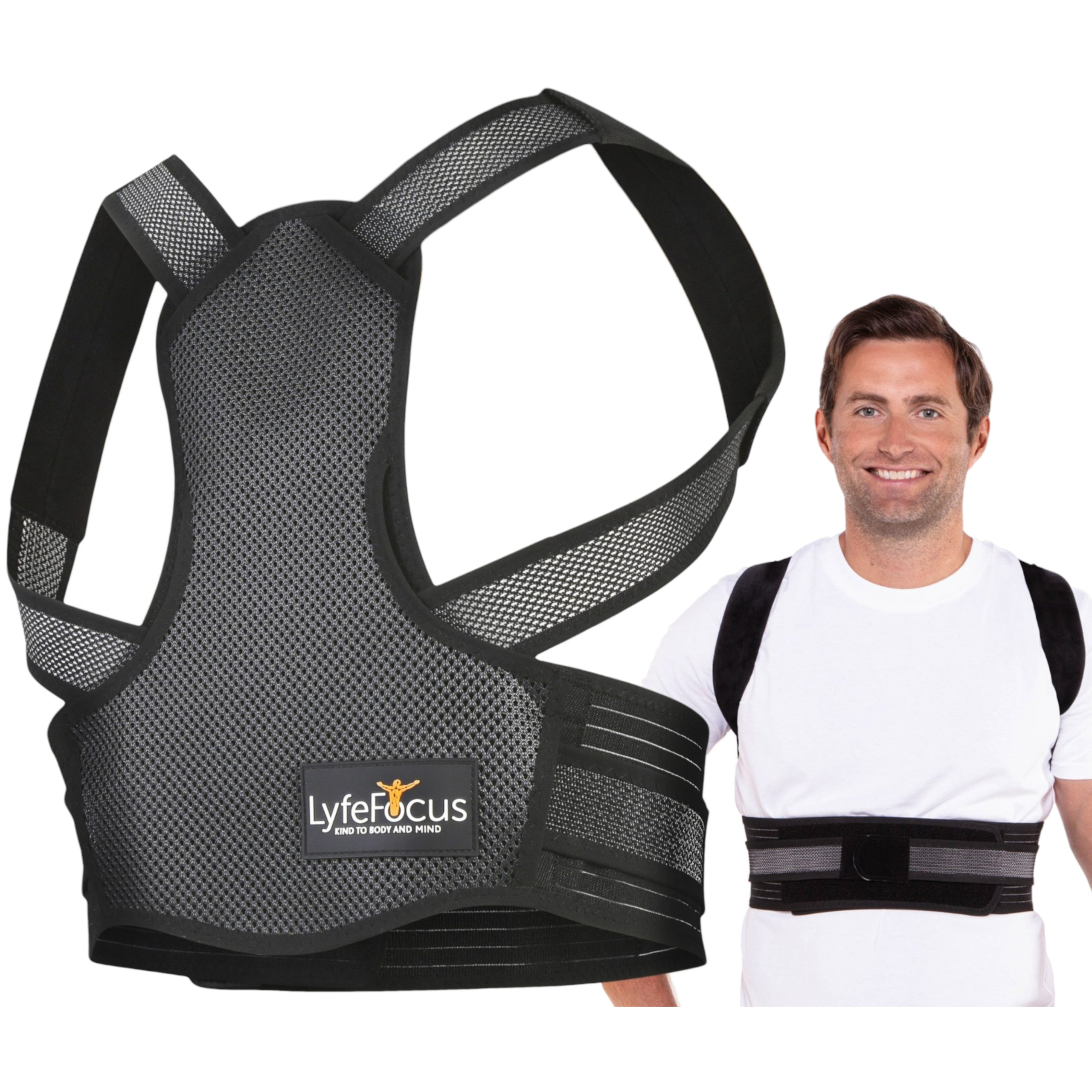
A posture corrector worn for short periods during the working day is one of the most effective tools for reinforcing the spinal alignment your ergonomic chair is encouraging. Rather than passively sitting in a supported position, a posture corrector actively cues the muscles of the upper back and shoulders to maintain their correct position — developing the muscular habit that makes good posture automatic over time.
The LyfeFocus Office & Home Working collection is designed specifically for people who spend long periods at a desk and need practical tools — not just furniture — to manage their back health throughout the working day.
FAQs About Support Chair for Back Pain in
What is the most important feature in a support chair for back pain?
Adjustable lumbar support is consistently identified as the most critical feature for people with lower back pain. It maintains the natural inward curve of the lower spine under load, preventing the rounding that causes disc compression and muscle fatigue during long sitting periods. Without it, even an otherwise well-designed chair will contribute to back pain over extended use.
Can an ergonomic office chair eliminate desk chair lower back pain entirely?
A well-fitted ergonomic chair significantly reduces the load on the lumbar spine and can dramatically reduce discomfort for many desk workers. However, it won’t eliminate lower back pain entirely if other contributing factors — such as tight hip flexors, poor movement habits, inadequate monitor height, or pre-existing spinal conditions — remain unaddressed. The chair is one component of a broader workplace and lifestyle approach.
How long should I sit before taking a movement break?
Most ergonomic and occupational health guidance recommends a brief movement break — even just standing and walking for 2–3 minutes — every 45 to 60 minutes. For people with existing back pain, more frequent breaks of 30–45 minutes are often beneficial. These breaks allow the spinal discs to rehydrate, muscles to release accumulated tension, and circulation to resume in areas compressed by sustained sitting.
Is upper back pain from sitting common among office workers?
Upper back and neck pain from desk work is extremely prevalent across office and remote workforce. The thoracic spine and trapezius region are particularly susceptible in people who use laptops without external keyboards or monitors, or who sit with screens positioned too low — both of which drive the forward head posture that loads the upper back continuously during working hours.
Get More From Your Workspace Setup
The right support chair for back pain is an important investment — but it’s only the beginning. Pairing it with the right recovery tools and postural habits is what separates people who manage their back health well from those who spend every evening in discomfort. If you’re not sure where to start, we’re here to help.
Get in touch with our team today and we’ll help you identify the right LyfeFocus products to complement your seating setup and keep your back in better shape throughout the working day.

Posture Corrector S1 (Black)
Take the first step toward better posture and lasting comfort.
Shop Now →